
Overview
A small California law firm handling Lemon Law matters needed to scale without hiring more admin staff. Their team was managing ~100 active cases, each with multiple stages depending on whether the matter followed a demand-letter (pre-litigation) path or went straight to litigation.
We built automation that connects their existing tools (primarily Clio) so routine work runs in the background.
The Client
- Small team: one attorney, one paralegal, one legal assistant
- ~100 active cases at any time
- Two main tracks:
- Pre-litigation (demand letter)
- Litigation (file immediately)
The Problems
Too much manual work
Every time a case moved stages, staff had to manually build the correct task list in Clio. With 8–15 stages per case, this consumed hours each week and created inconsistency.
Knowledge stuck in people's heads
Track selection depended on nuanced rules (manufacturer-specific behavior, lease vs purchase edge cases). This lived in the attorney's head, not in the system.
Mediation falling through the cracks
Mediation scheduling was the biggest driver of outcomes, but there was no reliable way to monitor:
- Which cases needed mediation scheduled
- Which cases were waiting too long
- Which cases had no mediation task at all
Data entry took too long
Intake and ongoing documents were being re-typed into Clio by hand:
- Vehicle and purchase details from purchase agreements
- Repair order history summaries
No big picture view
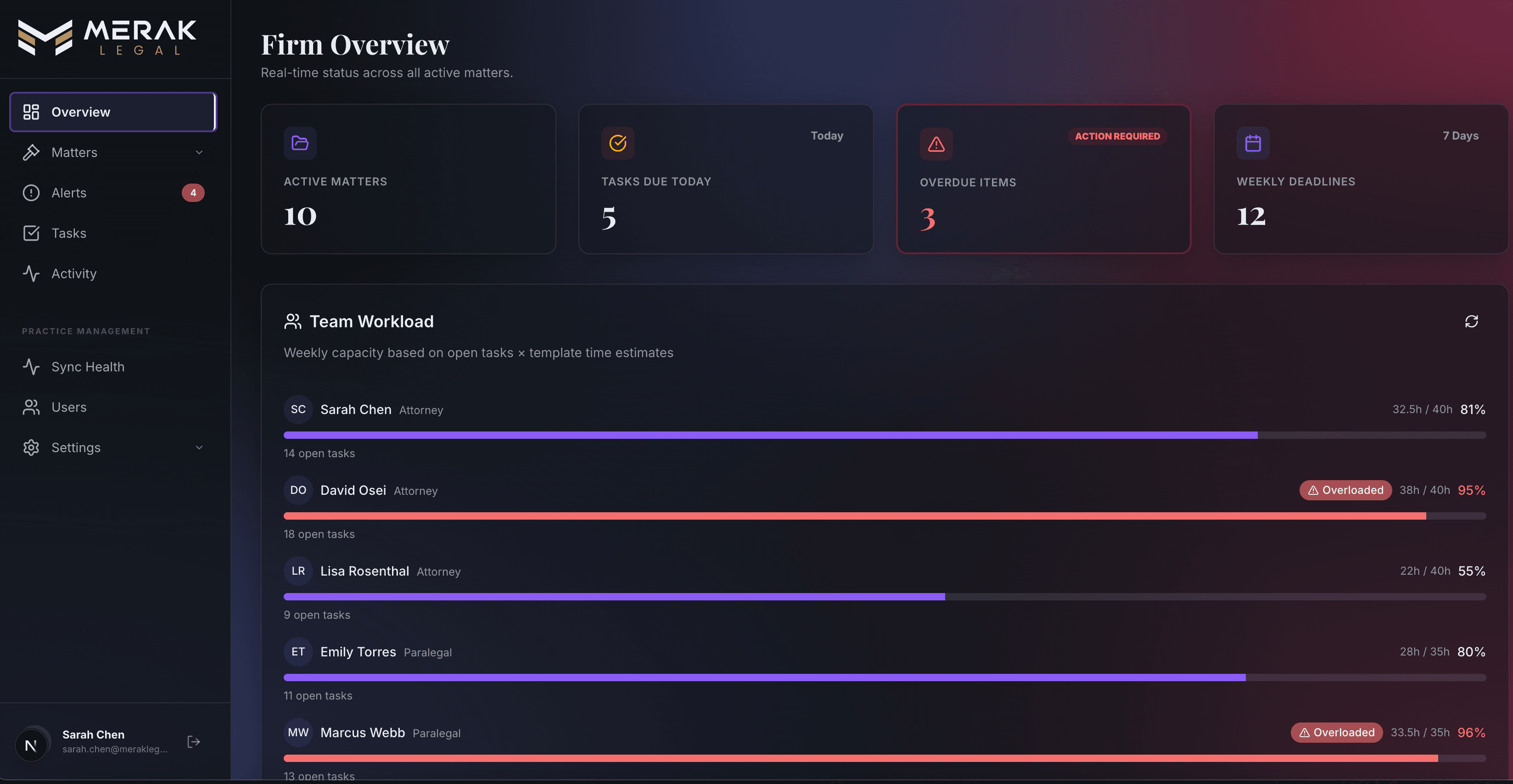
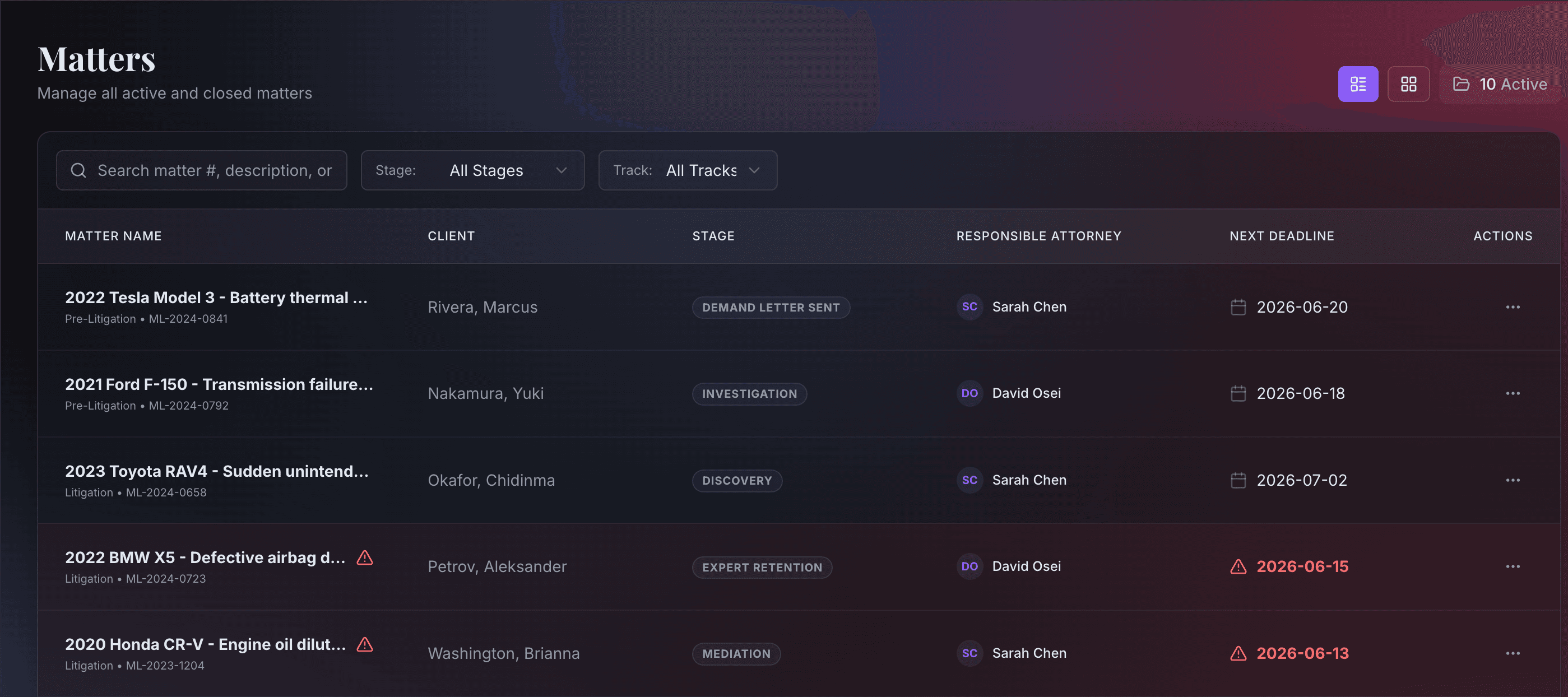
There was no lightweight, fast way to see overall status across matters without manually checking cases or asking staff to compile a report.
What We Built
1. Smart case routing
On new case creation, the system automatically assigns the matter to the correct track based on rules derived from the firm's operating knowledge (e.g., manufacturer-specific behaviors and known edge cases).
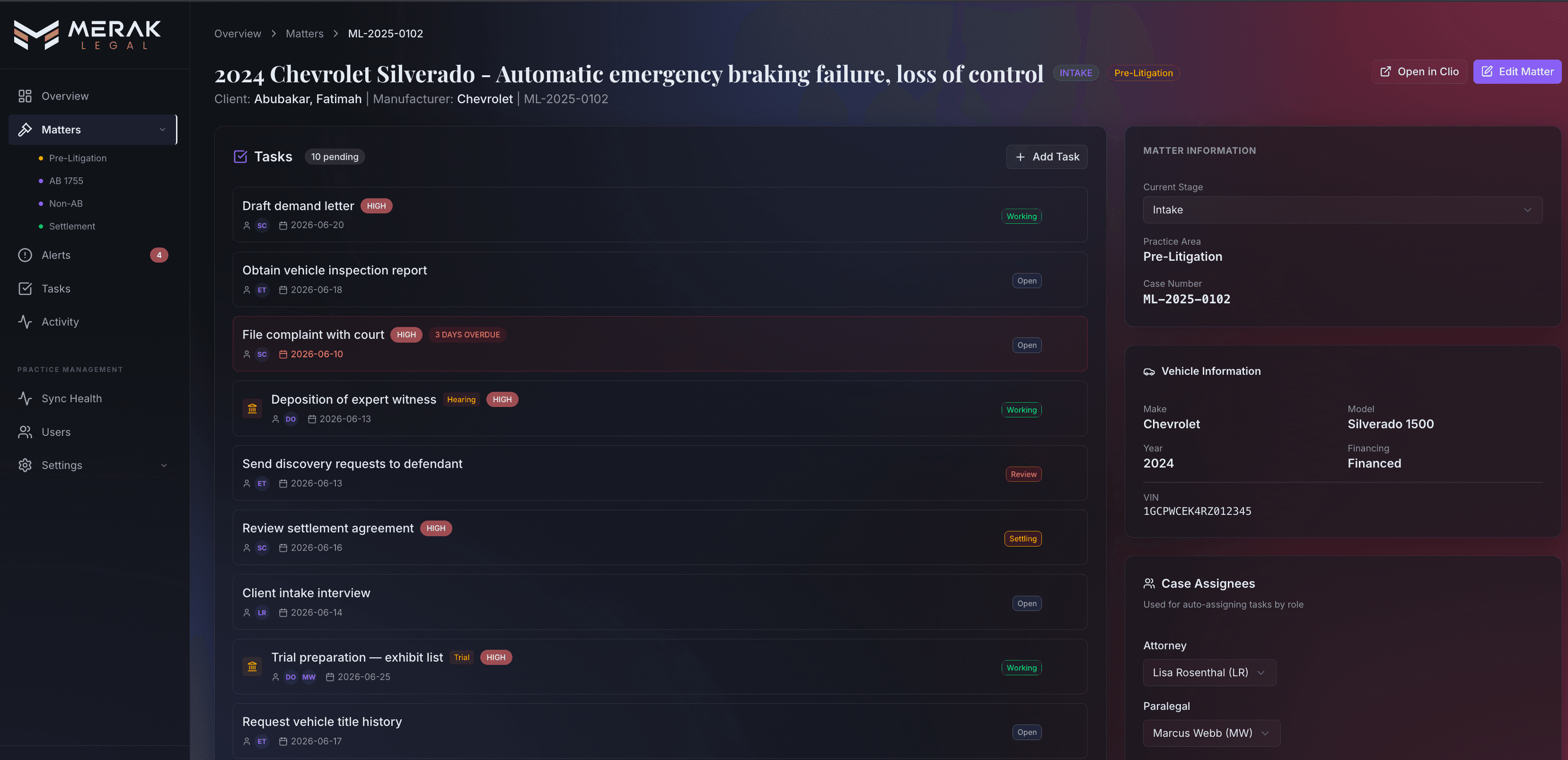
2. Automatic task lists
When a case stage changes in Clio, the automation:
- Detects the stage change
- Chooses the correct task list template
- Creates the full set of tasks automatically
- Assigns tasks to the right team member
- Sends a team notification
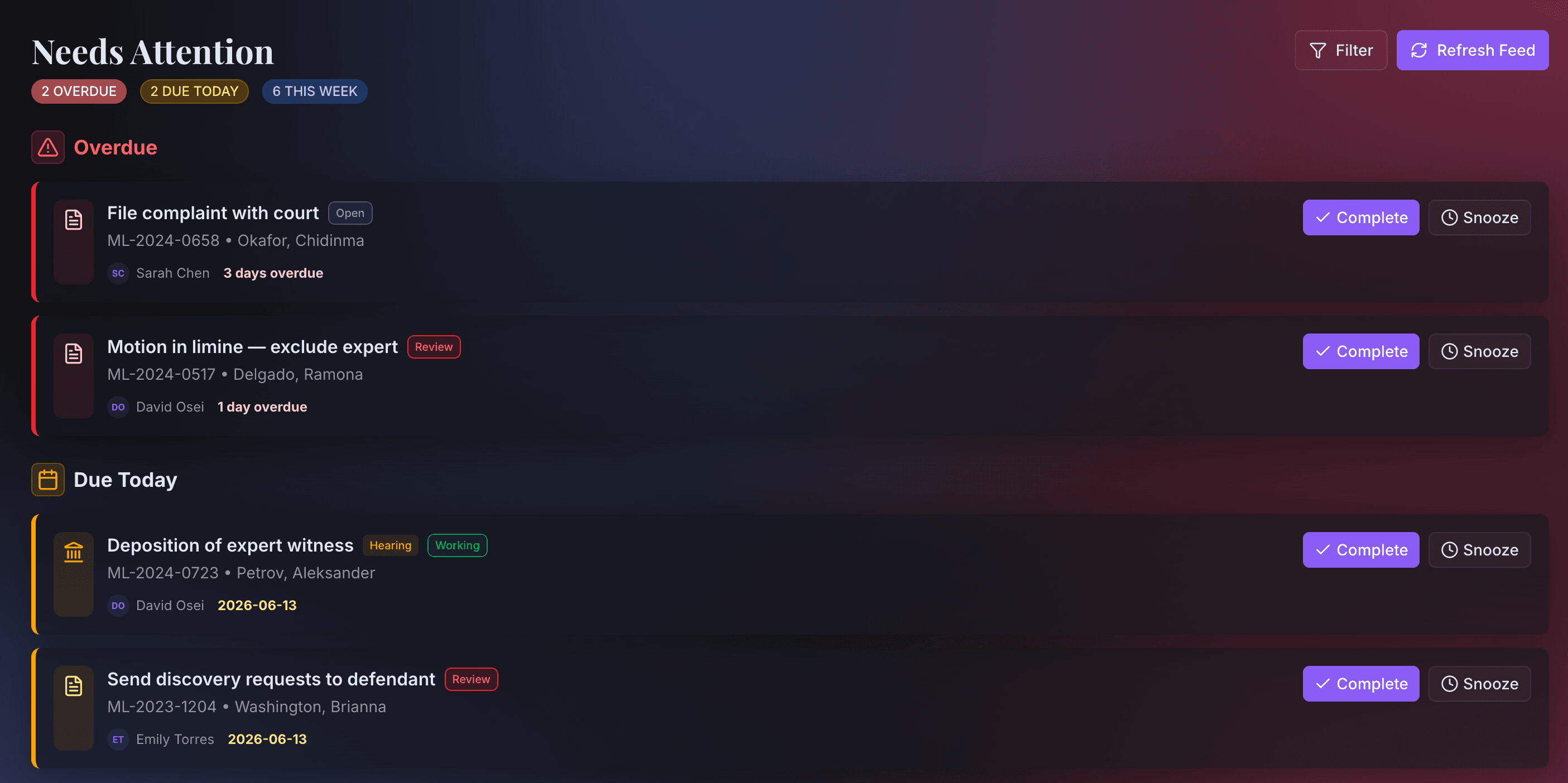
3. Daily mediation alert
Every morning at 9 AM, the system:
- Checks all cases that should have mediation scheduled
- Looks for the "Schedule mediation" task on each case
- Flags cases where the task is missing or stale
- Sends a prioritized list to the team chat
Urgency buckets:
- Critical: no mediation task exists, or pending 14+ days
- High Priority: pending 7–13 days
- Monitor: pending less than 7 days
4. Automatic document data extraction
When a purchase agreement or repair order is uploaded:
- AI extracts structured fields (make, model, year, VIN, dealer, purchase date, etc.)
- Clio custom fields are filled automatically
- Repair orders get a chronological summary
- The team receives a notification showing extracted data for review
5. Intake and onboarding automation
When a new lead comes in:
- Contact and deal records are created automatically in the CRM
- A client folder is generated in Google Drive with the correct structure
- Duplicate leads are detected and merged to prevent messy records
- Consultation notes from Zoom calls are captured and attached to the matter
- When the engagement agreement is signed electronically, the system automatically creates the matter in Clio and moves the folder from "Leads" to "Signed"
The intake flow also supports bilingual communication, with automated templates adapting to the client's preferred language.
Results
Less manual work
- Task lists now apply automatically when a case changes stage—no manual setup
- Document data (vehicle info, repair history) is extracted and populated without re-typing
- Mediation scheduling is monitored daily with prioritized alerts
- Stage changes trigger the correct next steps without staff intervention
Fewer mistakes
- Correct tasks applied consistently at each stage
- Track routing no longer depends on memory
- Mediation tasks cannot silently fall through the cracks
- Duplicate contacts and matters are caught before they create downstream problems
Intake runs itself
- Leads flow into the CRM automatically
- Folders are created and organized without manual steps
- Signed engagement agreements trigger matter creation in Clio
- Consultation notes are captured and attached to the right records
Screenshots
Why This Worked
- Built on top of the firm's existing tools (no system migration)
- Delivered the highest-leverage workflow first (mediation tracking)
- Added clear notifications so the team stays informed without extra dashboards
- Designed for messy real-world inputs and edge cases
What's Next
- A case dashboard for cross-matter visibility with filters and sorting
- Automatic generation of standard legal documents
- Settlement tracking for payments and disbursements
If you're buried in repetitive case admin, this is exactly the type of operations automation that clears the bottleneck. Get in touch.